
When do phone orders unlock in Leafy Corner?
At higher shop reputation tiers — exact level varies by patch, but mid-reputation is the community baseline. Raise it through tasks, successful customers, and healthy plants per the reputation guide.

Leafy Corner orders guide: phone orders at higher reputation, small medium and large size tags, prep stock from your shelves, and complete deliveries on time.
Phone orders unlock at higher reputation — size tags, prep, and delivery timing.
~10 min read
Sponsored
Leafy Corner phone orders are a reputation-gated side of the shop loop from Fireline Games — customers call in with a species, trait tags, and a Small / Medium / Large size requirement, then expect a mature plant picked from your shelves before the delivery window closes. Walk-in sales teach the Compendium; phone orders punish unprepared stock. This Leafy Corner orders guide covers unlock level, reading size tags, prepping the right pot, and the two order achievements on the Steam list. Verified August 16, 2026 · Steam.
| Fact | Detail |
|---|---|
| Platform | Steam · Switch · PS5 · Xbox |
| Genre | Cozy Plant Shop Sim · Management · Relaxing |
| Unlock | Higher reputation tiers — see reputation guide |
| Size tags | Small · Medium · Large on the Compendium card and order slip |
| Achievements | Orders, Orders! (first order) · Plantastic Service (30 orders) |
| Related loop step | Phone orders unlock at higher reputation with size tags |
| Demo | Free demo on Steam — tutorial, variegations, and early reputation |
Phone orders are not available on day one. Leafy Corner gates the ringing phone behind shop reputation, the same meter that unlocks new plant species, pot styles, and floor space. Early hours are walk-in customers only — greet them, open the Compendium, match trait tags, and keep plants watered. Once reputation climbs into the mid tiers, the phone becomes a second income stream with stricter requirements than a casual browser at the counter.
| Phase | What you are doing instead |
|---|---|
| Opening day | Walk-in trait matching · seed purchases · first sales |
| Early reputation | Unlock Compendium species · learn watering rhythm |
| Mid reputation | Phone orders appear · size tags matter · stock planning starts |
| High reputation | Multiple concurrent orders · larger shop · higher margins |
You cannot buy your way into phone orders. Completing daily tasks, helping walk-in customers, and keeping a healthy shop — plants in the blue droplet zone, no rotting pots — pushes reputation faster than hoarding coins. The reputation guide maps tier unlocks including shop expansion around level 3 and the path to level 6 for Leafing A Good Impression. Treat the phone as a reward for running a tidy shop, not a separate minigame.
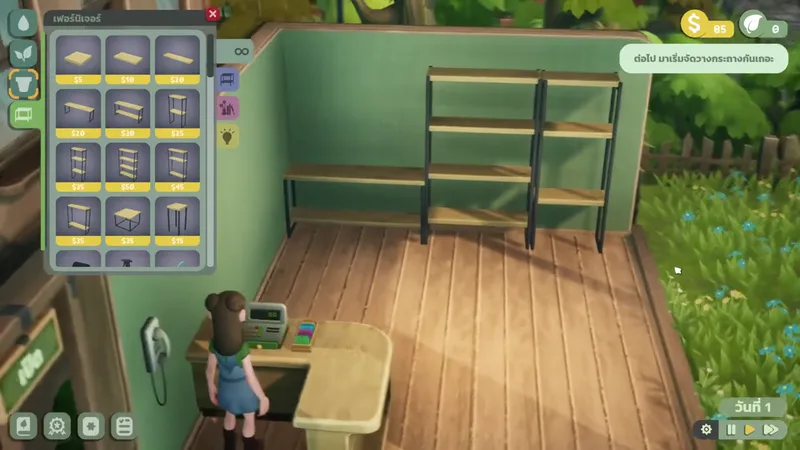
Before orders, your bottleneck is matching one customer at a time. After unlock, you juggle counter service plus timed deliveries. The shop loop from site data still applies: Plant → Water → Grow → Serve → Order → Earn → Expand → Decorate. Orders sit between Serve and Earn, and they assume you already have mature stock on tables. If every pot is still growing, finish the beginner guide stocking plan before chasing Plantastic Service.
With unlock timing clear, the field that trips most players is the size tag on the order slip.
Matched by build plan, shared topics, and guide progression — not random related links.
Prepping a phone order is simpler than walk-in matching but less forgiving. You are not interpreting vague customer dialogue — the slip lists exact requirements. Walk to your tables, pick up a plant that matches species, traits, and size, then interact with the phone or delivery prompt to confirm. The game checks the plant in your hands against the order fields.
PC Gamer's organized-shop approach applies directly to orders: group tables by size tier or label rows in your head — small pots on the left shelf, large floor plants by the window. When the phone rings, you should know which three pots qualify without opening every card. This matters most for species you sell often, because walk-in customers and phone orders draw from the same inventory.
Variegated leaves and personal favorites should be marked not for sale before you enter a busy order block. It is easy to grab the prettiest pot on autopilot; This One's Mine exists because the game lets you reserve plants. The variegations page covers marking and propagation — never fulfill a random order with a variegated backup unless you mean to sell it.
If nothing on the shelf fits, you cannot fabricate a delivery — decline or let the timer run only as a last resort. Better habit: keep one flex species unlocked early (hardy, fast-growing, three sizes cycling) as order filler. Spend Plant Tokens on species that appear often in order rotation, not only on rare compendium entries you cannot keep watered.
Prep is half the battle; the other half is beating the delivery clock.
Phone orders add a delivery window on top of normal shop time. While the order is active, the day keeps moving — customers still walk in, plants still dry out, and watering mode still needs attention. Successful players batch order prep during quiet moments instead of starting a delivery at the same time they accept a fussy walk-in with three trait requirements.
| Situation | Timing habit |
|---|---|
| Order just arrived | Finish current customer interaction first, then read the slip |
| Long walk across expanded shop | Pick up the plant before crossing the floor — dropped plans waste seconds |
| Multiple orders queued | Fulfill smallest / nearest shelf first to clear mental load |
| Low water day | Water before accepting if prep plants are near white droplet icons |
| Closing rush | Decline new orders if stock is empty — failed deliveries hurt reputation |
After reputation unlocks, treat phone orders as a rhythm game layered on the 8-step loop. When two walk-ins leave back-to-back, that gap is delivery time. When the shop is empty, propagate spare stock or start the next seed rather than staring at the phone waiting. Steady fulfillment across thirty deliveries is exactly what Plantastic Service measures — not speed-running one perfect day.
Two Steam achievements specifically track phone order milestones.
Two of the 26 Steam achievements in Leafy Corner are order-specific. Both are official listing descriptions — no hidden text. They sit in the mid-rarity band because orders unlock late and thirty completions take sustained stock planning.
| Achievement | Players | Requirement |
|---|---|---|
| Orders, Orders! | 13% | Complete your first phone order |
| Plantastic Service | 11% | Complete 30 phone orders |
The first successful phone fulfillment pops this automatically. If it has not appeared, you likely have not reached order unlock reputation yet, or you failed the size/trait check on your attempt. Cross-reference the slip with the Compendium card in hand before confirming. One deliberate practice order after unlock is enough — do not rush the first delivery while three walk-ins queue unless you enjoy failing both.
Thirty orders is a marathon, not a single session spike. Spread them across mid and high reputation when your shop has space for parallel grow lanes. Pair this chase with Keeping Busy (100 plant sales) and Plant Matchmaker (30 customers helped) — all three reward the same healthy mid-game loop. Full achievement routing lives on the achievements page grouped by type.
Failed phone orders sting more than turning away a walk-in because you spent mature stock time and still lose reputation progress. Most failures trace back to three habits: ignoring size tags, draining inventory without restocking, and accepting orders during watering emergencies.
| Mistake | Cost | Fix |
|---|---|---|
| Grabbing medium when the slip says large | Failed order · wasted mature plant time | Compare Compendium size badge before confirming |
| Selling your only large backup to a walk-in | Next phone order cannot be fulfilled | Mark reserve pots or grow duplicates |
| Accepting orders with empty shelves | Timer fail · reputation hit | Decline until restock — see plants guide |
| Fulfilling with a trait-mismatched species | Same as walk-in fail | Re-read trait tags — pet-friendly matters on orders too |
| Using variegated showcase stock by accident | Lost rare collectible | Mark not for sale on every variegation |
Walk-in customers consume whatever matches; phone orders consume specific SKUs you should have staged. After each successful delivery, plant a replacement seed in the empty slot before the next ring. Orders, Orders! teaches the mechanic; Plantastic Service teaches the habit. Link reputation growth on the reputation guide so unlocks keep pace with your stock depth.
At higher shop reputation tiers — exact level varies by patch, but mid-reputation is the community baseline. Raise it through tasks, successful customers, and healthy plants per the reputation guide.
Small, Medium, and Large maturity tiers matching the Compendium card — the same size labels listed in plant traits. Orders reject wrong-size pots even if species matches.
No — phone orders expect mature stock already on your shelves. Start grow lanes before reputation unlocks orders.
Complete your first successful phone delivery after the system unlocks.
Complete 30 phone orders total across your save — plan backup stock for common species and sizes.
Yes — treat failed deliveries like bad customer service. Keep reserve stock and read size tags before confirming.
Only if you deliberately pick it — mark variegations not for sale to avoid accidents. See variegations.
Raise shop reputation until the phone unlocks, answer the call, read species + size tags, pull a matching mature pot from the shelf, and deliver before the timer. You cannot grow a plant after accepting — stage stock first.
August 16, 2026
Matched by build plan, shared topics, and guide progression — not random related links.